The Income Allocation is a financial report that shows how incoming payments are applied (allocated) to a provider. Unlike a simple collections report, this report helps you:
- Understand true revenue flow
Not all collected money equals earned income (some may go to old balances or credits). - Track insurance vs. patient contributions
See how much of your income comes from each source. - Monitor write-offs and discounts
Identify if adjustments are too high.
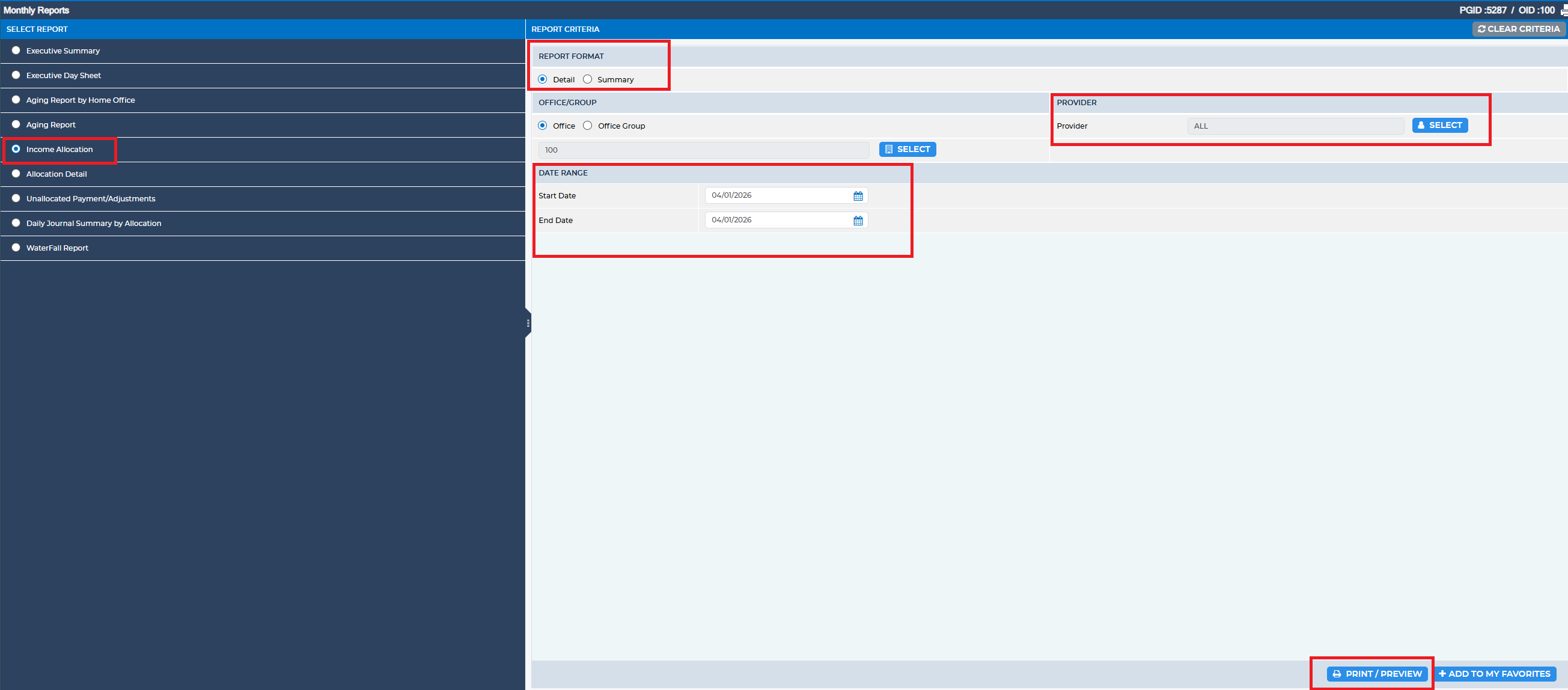
To access this report, navigate to:
Reports > Monthly Reports > Income Allocation
Reports > Monthly Reports > Income Allocation
Within the Report Criteria section, complete the following fields:
- Report Format: Choose Detail.
- Date Range: Enter the desired start and end dates.
- Provider(s): Select the relevant provider(s) (or leave as All to include the entire office).
Was this article helpful?
That’s Great!
Thank you for your feedback
Sorry! We couldn't be helpful
Thank you for your feedback
Feedback sent
We appreciate your effort and will try to fix the article