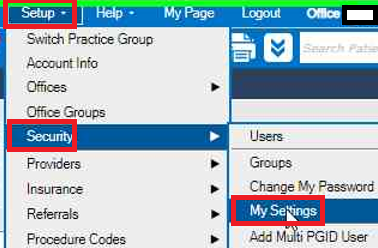
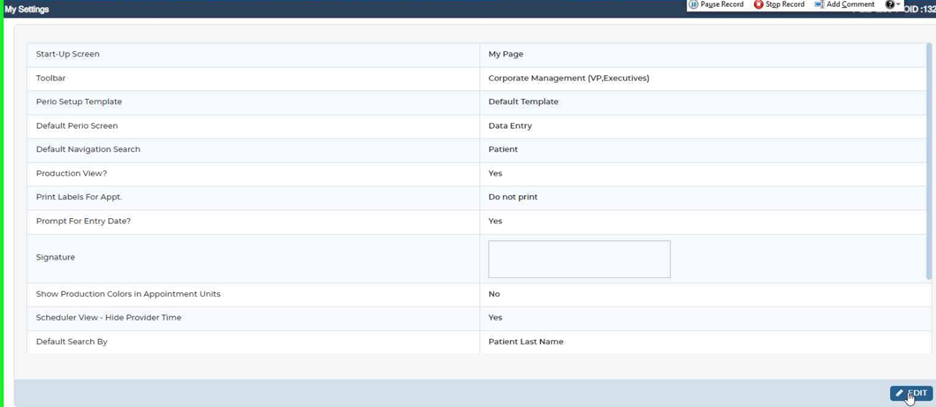
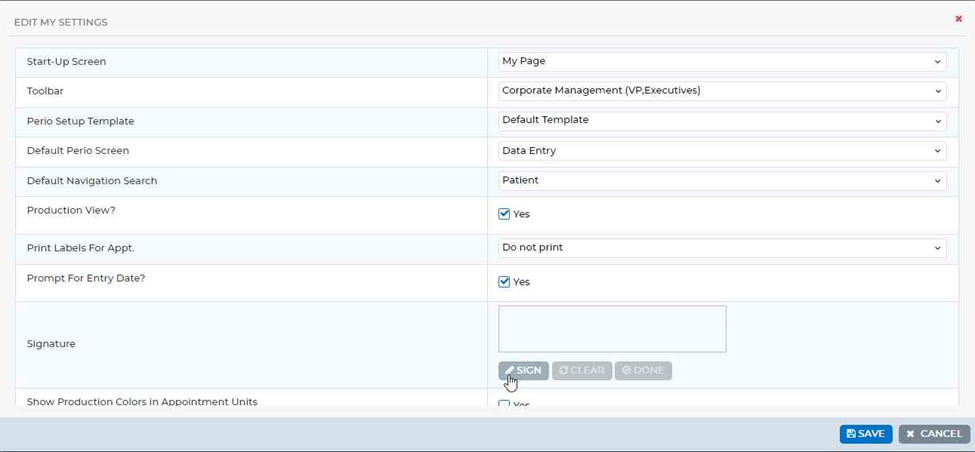
All Doctors have access to add their signature by going to: Setup> Security> My Settings and selecting Sign. Using a SigPad the doctor can then Sign their name in the Box and Click Save.
Was this article helpful?
That’s Great!
Thank you for your feedback
Sorry! We couldn't be helpful
Thank you for your feedback
Feedback sent
We appreciate your effort and will try to fix the article