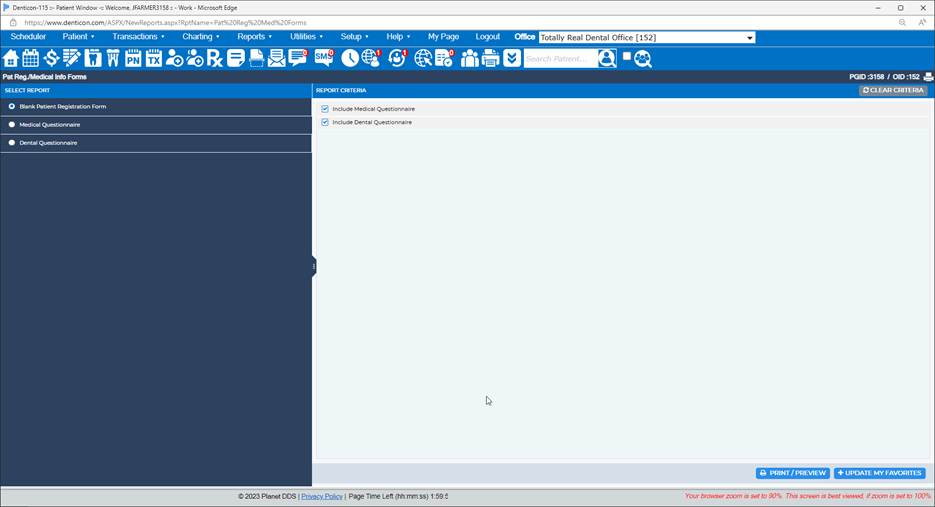
A blank patient registration form may be generated in Denticon:
· Click the word “Reports” and choose the “Pat Reg./ Medical Info Forms” option from the drop-down box
· Select the “Blank Patient Registration Form” option
· Indicate if the Medical Questionnaire is desired by placing a check mark in the “Include Medical Questionnaire ” box
· Indicate if the Dental Questionnaire is desired by placing a check mark in the “Include Dental Questionnaire ” box
· Click the Print/Preview button
Was this article helpful?
That’s Great!
Thank you for your feedback
Sorry! We couldn't be helpful
Thank you for your feedback
Feedback sent
We appreciate your effort and will try to fix the article