The referral source must first be setup in the dental office’s account. Once input, the referral source may be located for usage within any patient record.
There are two options:
- input the referral source via Setup
- input the referral source from a patient record
Outside of the patient record:
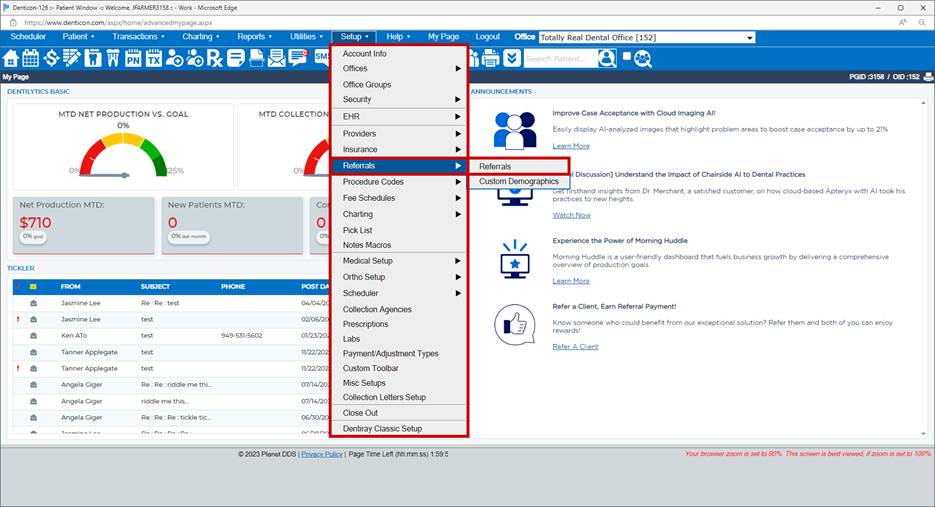
- Click the word “Setup”
- Choose the “Referrals” and “Referrals” options from the drop-down selection list
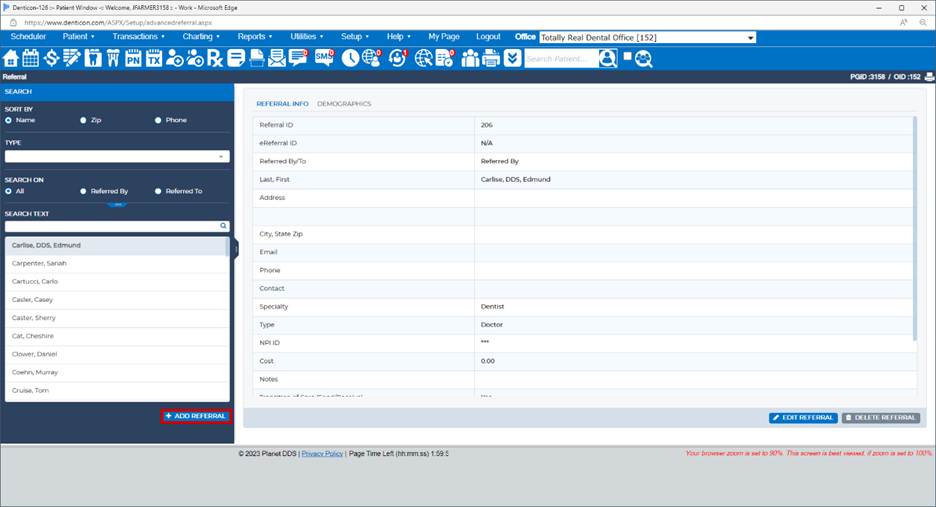
- If the referral source is not in the list, click the Add New Referral button
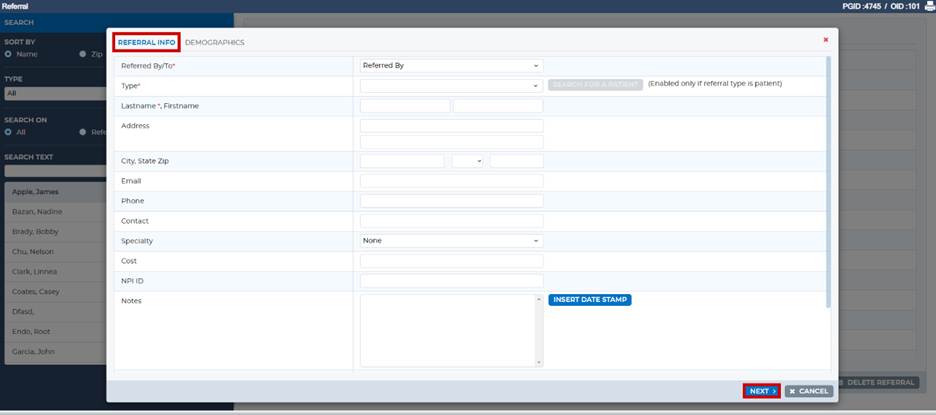
- Indicate the correct referral method within the “Referred by/To” field
- Select the referral type “Doctor” which is extremely important in order to associate the correct type for the referral source
- Add referral information as desired
- Click the Demographics >> button
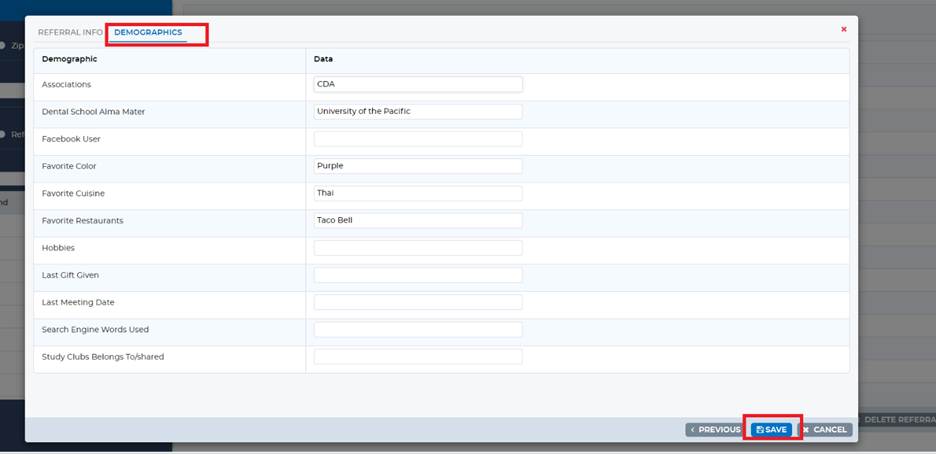
- If custom demographics have been in put via “Setup / Referrals / Custom Demographics,” input the desired demographic information
- Click the Save button


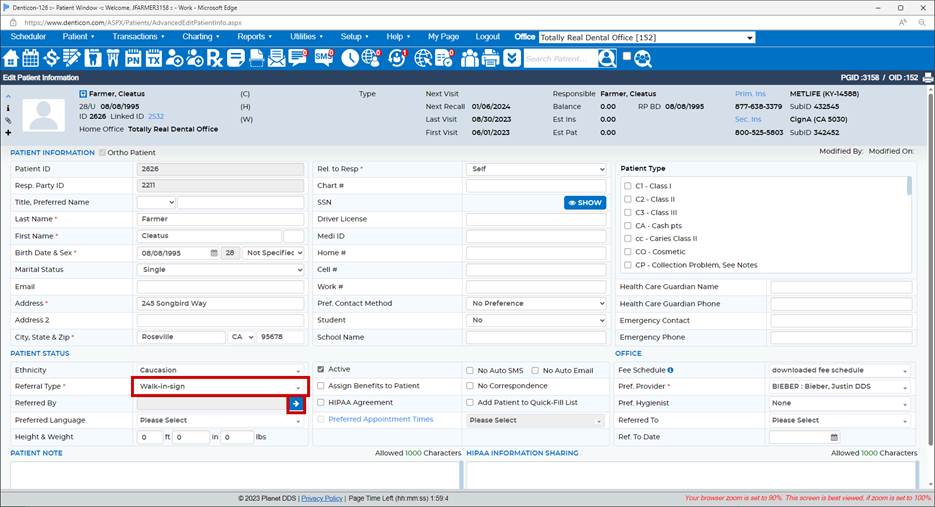
Within a patient record, on the patient's Information Screen:
- Select the desired referral type
- Click the blue/white arrow at the "Referred By" field
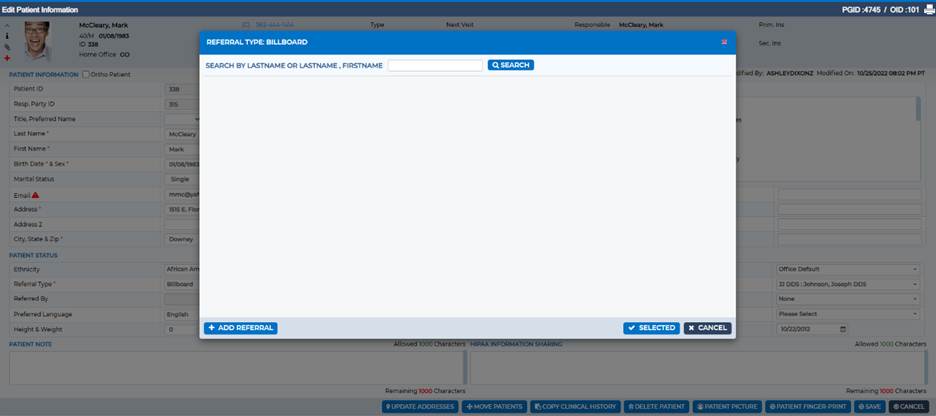
- Input the desired name in the search field
- Click the Search button to locate an already-setup referral
- If the desired referral source does not appear in the Search, click the Add Referral button
- Add the referral source per the above process in "outside of the patient record" section
Once entered, the referral source is available for any patient record by searching the “Doctor” referral type.
Was this article helpful?
That’s Great!
Thank you for your feedback
Sorry! We couldn't be helpful
Thank you for your feedback
Feedback sent
We appreciate your effort and will try to fix the article