To access letters in Denticon, follow these steps:
- Navigate to the PT Overview screen.
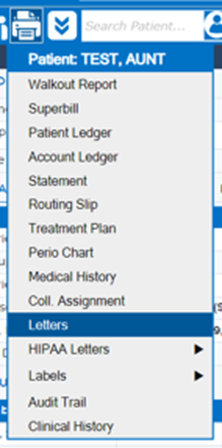
- In the PT Overview, click on the "Print Report" icon.
- A dropdown menu will appear; select "Letters."
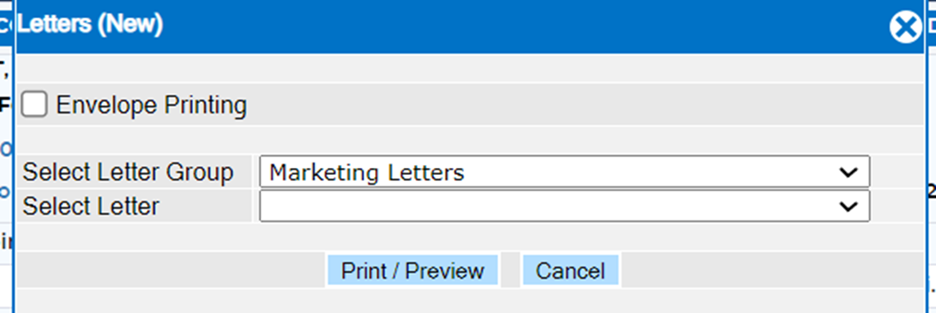
- From there, choose the appropriate "Letter Group" and then select the desired letter.
Was this article helpful?
That’s Great!
Thank you for your feedback
Sorry! We couldn't be helpful
Thank you for your feedback
Feedback sent
We appreciate your effort and will try to fix the article