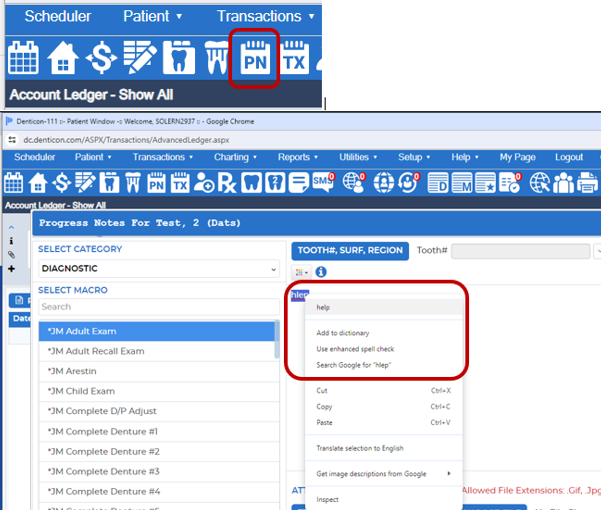
Spell check is available under the PN Icon (progress notes screen) in Denticon.
Please note, this is the only screen where spell check is currently available. This feature is not available in the Advance Charting Progress Notes screen.
> Click the PN Icon > Add New Note > Start typing, if a word is misspelled the word will show with a Red line under it. Hold the CTRL Key and right click your mouse for spell check to functions to appear.
Was this article helpful?
That’s Great!
Thank you for your feedback
Sorry! We couldn't be helpful
Thank you for your feedback
Feedback sent
We appreciate your effort and will try to fix the article