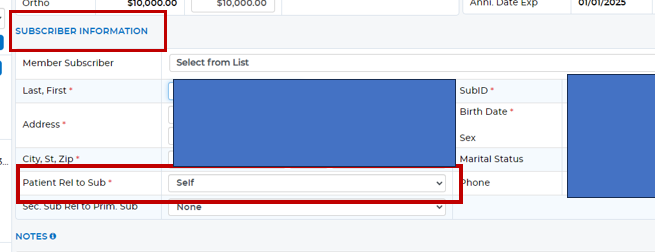
When in the Add/Edit Secondary Dental Plan screen under the Subscriber Information area, you will need to set the "Patient Rel to Sub" to "None." This will then remove the Ins from the PT. See screen shot below:
Was this article helpful?
That’s Great!
Thank you for your feedback
Sorry! We couldn't be helpful
Thank you for your feedback
Feedback sent
We appreciate your effort and will try to fix the article