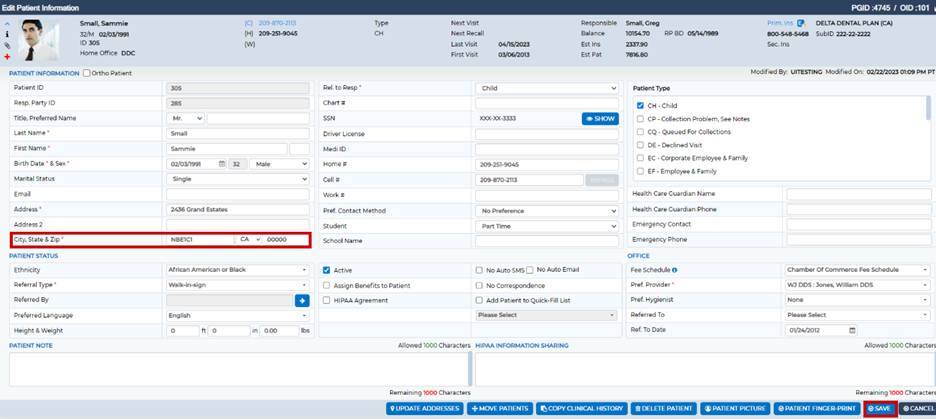
A 'Canadian' address may be entered by doing the following:
- From the Patient Overview screen, click

next to Patient ID
- Add the 'Canadian' Zip-code in the City field
- Select CA in State drop-box
- Enter 00000 in the Zip-code field
Was this article helpful?
That’s Great!
Thank you for your feedback
Sorry! We couldn't be helpful
Thank you for your feedback
Feedback sent
We appreciate your effort and will try to fix the article