Scenario:
A service from January has already been processed, with the claim both paid and closed. Later, it is discovered that the service was attributed to the wrong provider. To correct this, the production must be transferred from the incorrect provider to the appropriate one. In addition, any associated collections (payments) must also be reassigned to reflect the correct provider.
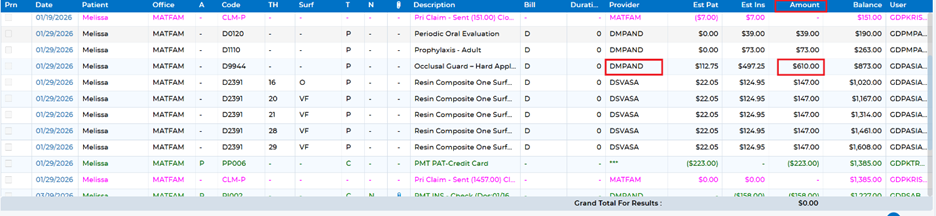
First, identify the provider under whom the services were incorrectly posted, along with the total service amount.
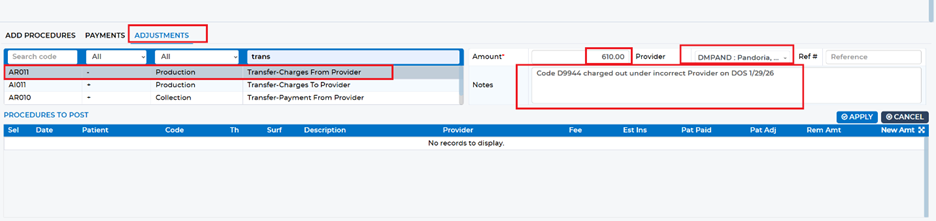
Next, within the patient chart for the account being corrected, navigate to the “Payments/Adjustment” screen. Select the “Adjustments” tab and locate the adjustment labeled “Transfer – Charges From Provider.” This adjustment removes the production amount from the incorrect provider. Ensure you select the provider the services were originally posted under and enter the exact amount shown in the ledger. Always include a note explaining the reason for the adjustment. Once complete, click Apply to post the adjustment.
Then, remain on the same screen and again select the “Adjustments” tab. This time, choose “Transfer – Charges To Provider.” This adjustment moves the production to the correct provider. Enter the same amount used in the previous step and select the appropriate provider. As before, include a clear note and click Apply to finalize. 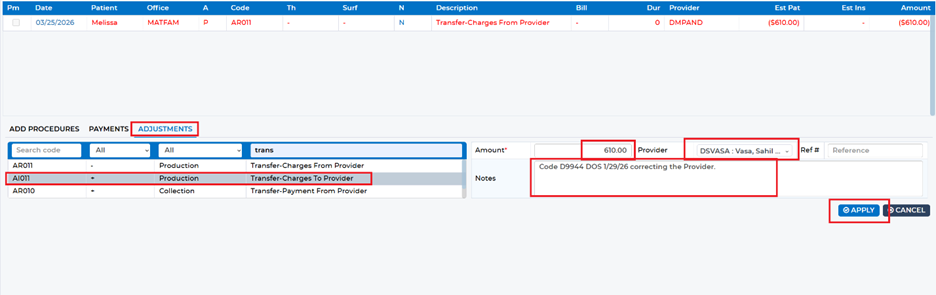
At this point, the production has been successfully reassigned. To complete the correction, you must also transfer the associated collection (payment) to properly allocate the account. Moving the production creates an unallocated balance because the payment remains tied to the original provider.
To review what needs to be adjusted, return to the patient ledger. At the bottom of the screen, locate the Account Balance line and click the dollar amount under “Est Pat.” This will display the unallocated amounts created by the provider correction.
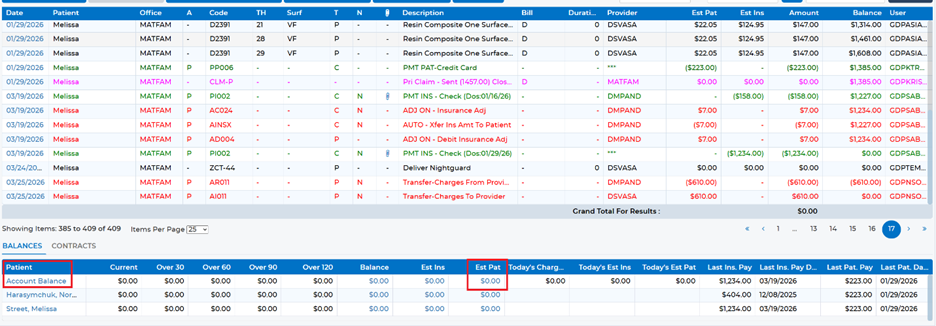
You will typically see a credit (highlighted in Red) under the original provider and a corresponding balance(highlighted in Yellow) under the correct provider. This indicates that the payment must be transferred.
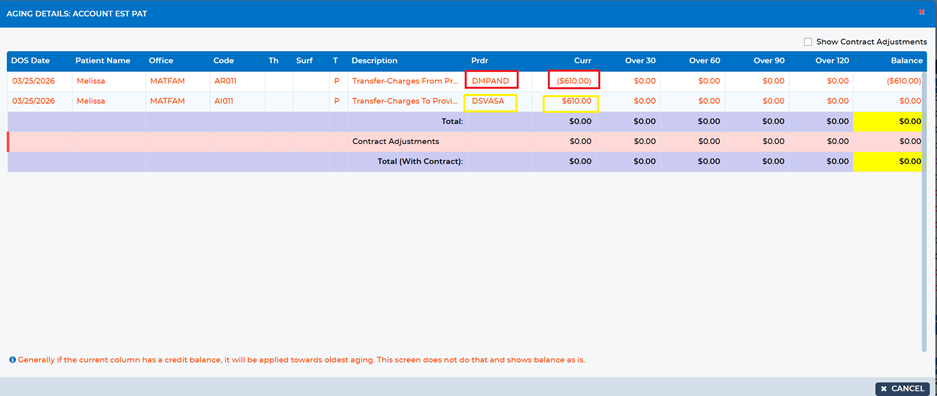
Return to the “Payments/Adjustment” screen and select the “Adjustments” tab. Choose “Transfer – Payment From Provider.” Enter the amount of the credit associated with the incorrect provider, add an explanatory note, and click Apply.
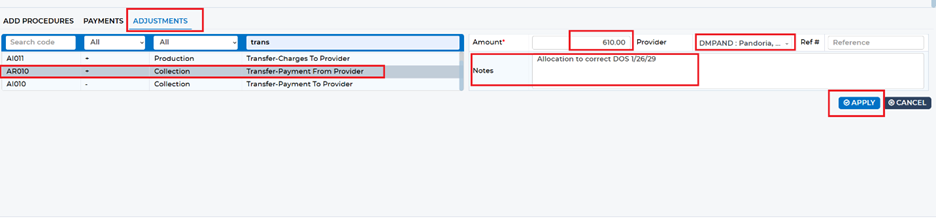
Next, again under the “Adjustments” tab, select “Transfer – Payment To Provider.” Enter the same amount and assign it to the correct provider. Include a note and click Apply to complete the transfer.
Finally, return to the patient ledger and click the dollar amount under “Est Pat” in the Account Balance section. The Aging Details window should now show that the account is fully allocated, confirming the correction has been completed successfully. 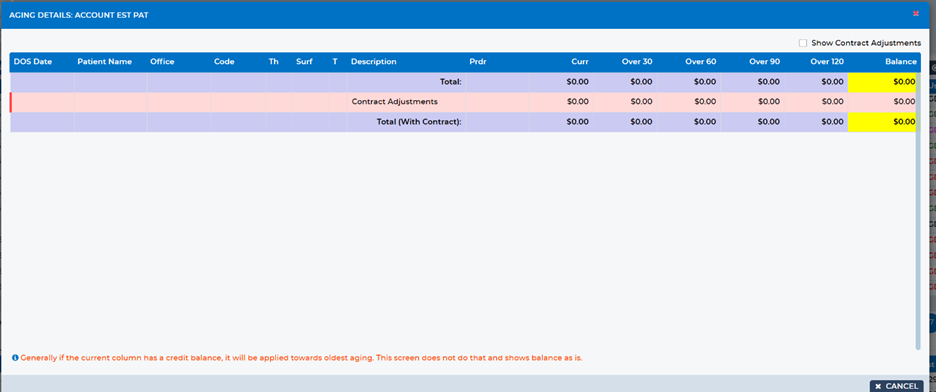
Was this article helpful?
That’s Great!
Thank you for your feedback
Sorry! We couldn't be helpful
Thank you for your feedback
Feedback sent
We appreciate your effort and will try to fix the article