The Production by Provider (Detail) report is used to display the production amounts posted to the ledger for a selected date range, organized by provider.
To access this report, navigate to:
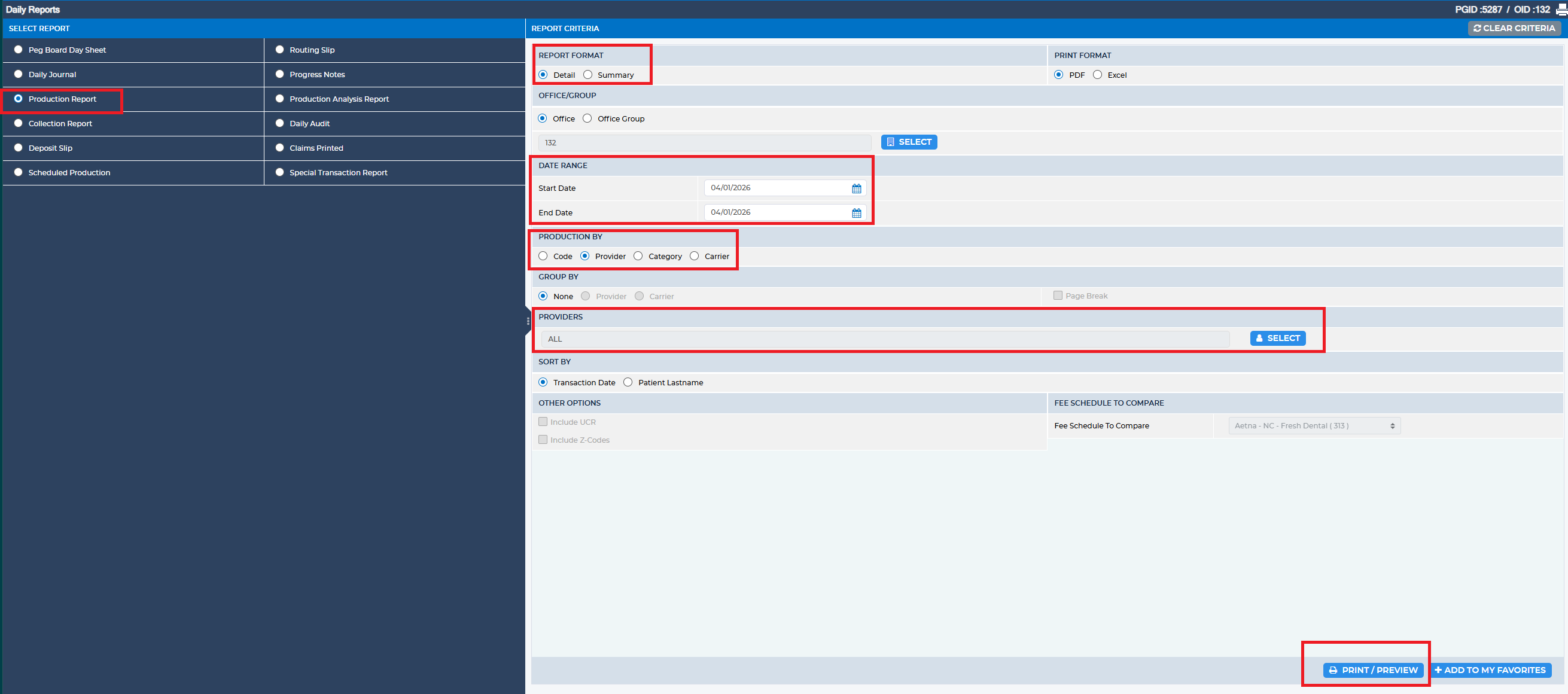
Reports > Daily Reports > Production Report
Reports > Daily Reports > Production Report
Within the Report Criteria section, complete the following fields:
- Set Production By to Provider
- Select Report Format as Detail
- Enter the desired Date Range (start and end dates)
- Choose the appropriate Provider(s) for the report
Once these criteria are set, the system will generate a detailed production report by provider.
Was this article helpful?
That’s Great!
Thank you for your feedback
Sorry! We couldn't be helpful
Thank you for your feedback
Feedback sent
We appreciate your effort and will try to fix the article