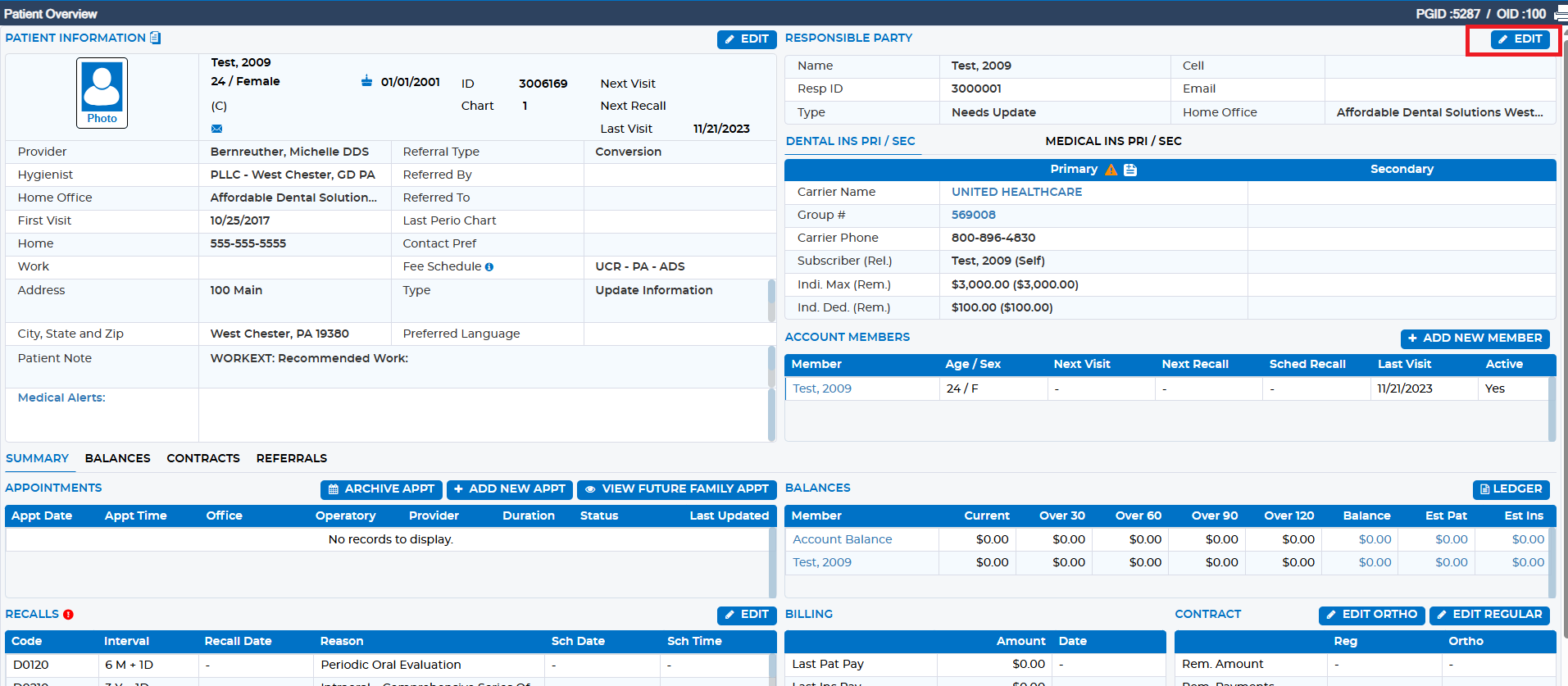
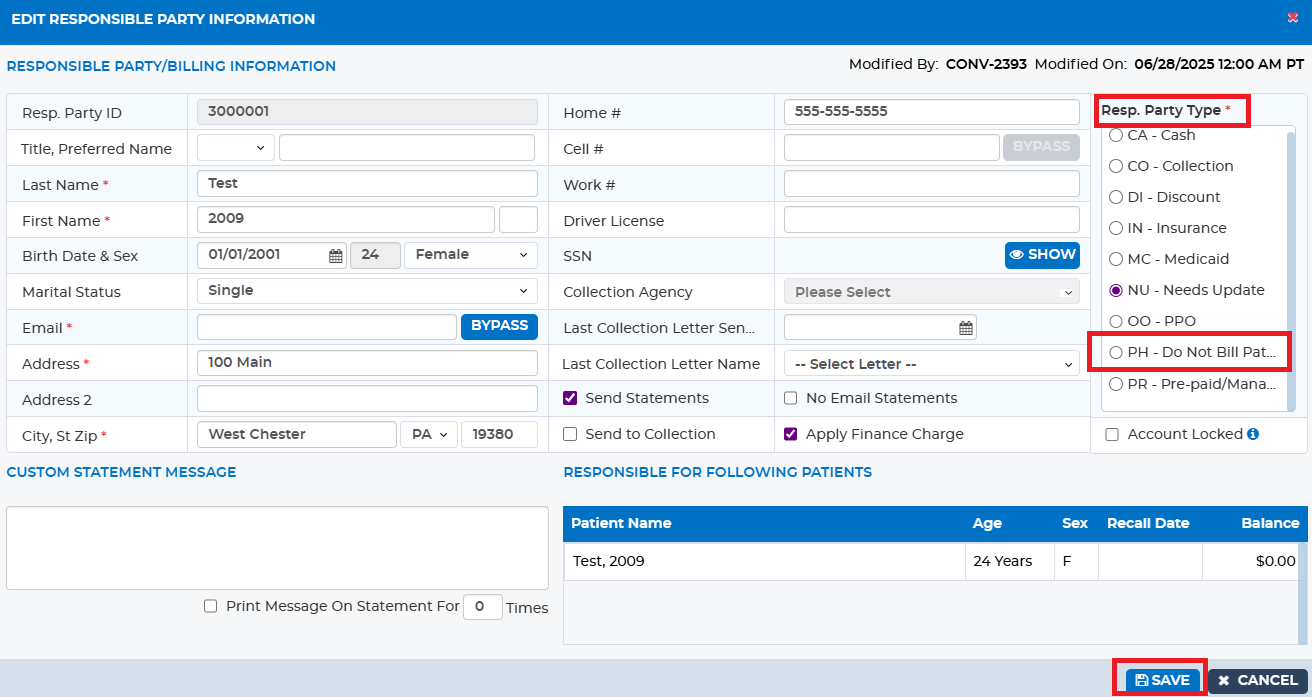
If, for any reason, you do not want a patient to receive a statement, please navigate to the Patient Overview screen and click “Edit” on the Responsible Party. From here, update the Responsible Party Type to “PH – Do Not Bill Patient.”
Was this article helpful?
That’s Great!
Thank you for your feedback
Sorry! We couldn't be helpful
Thank you for your feedback
Feedback sent
We appreciate your effort and will try to fix the article