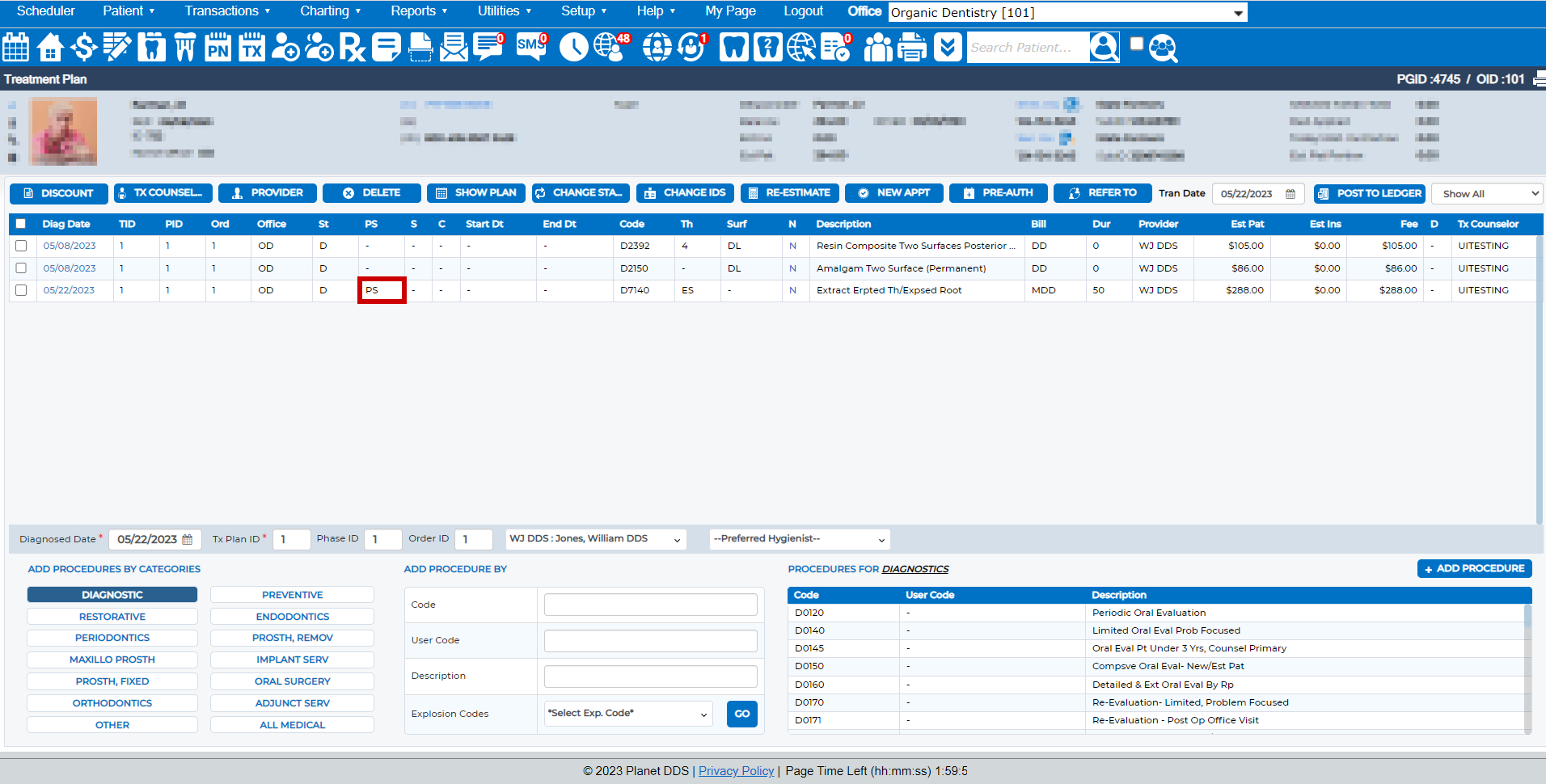
When a pre-authorization is generated and submitted to the insurance carrier, the Treatment Plan screen indicates “PS” (pre-authorization sent).
To delete a pre-authorization claim:
- Access the patient record
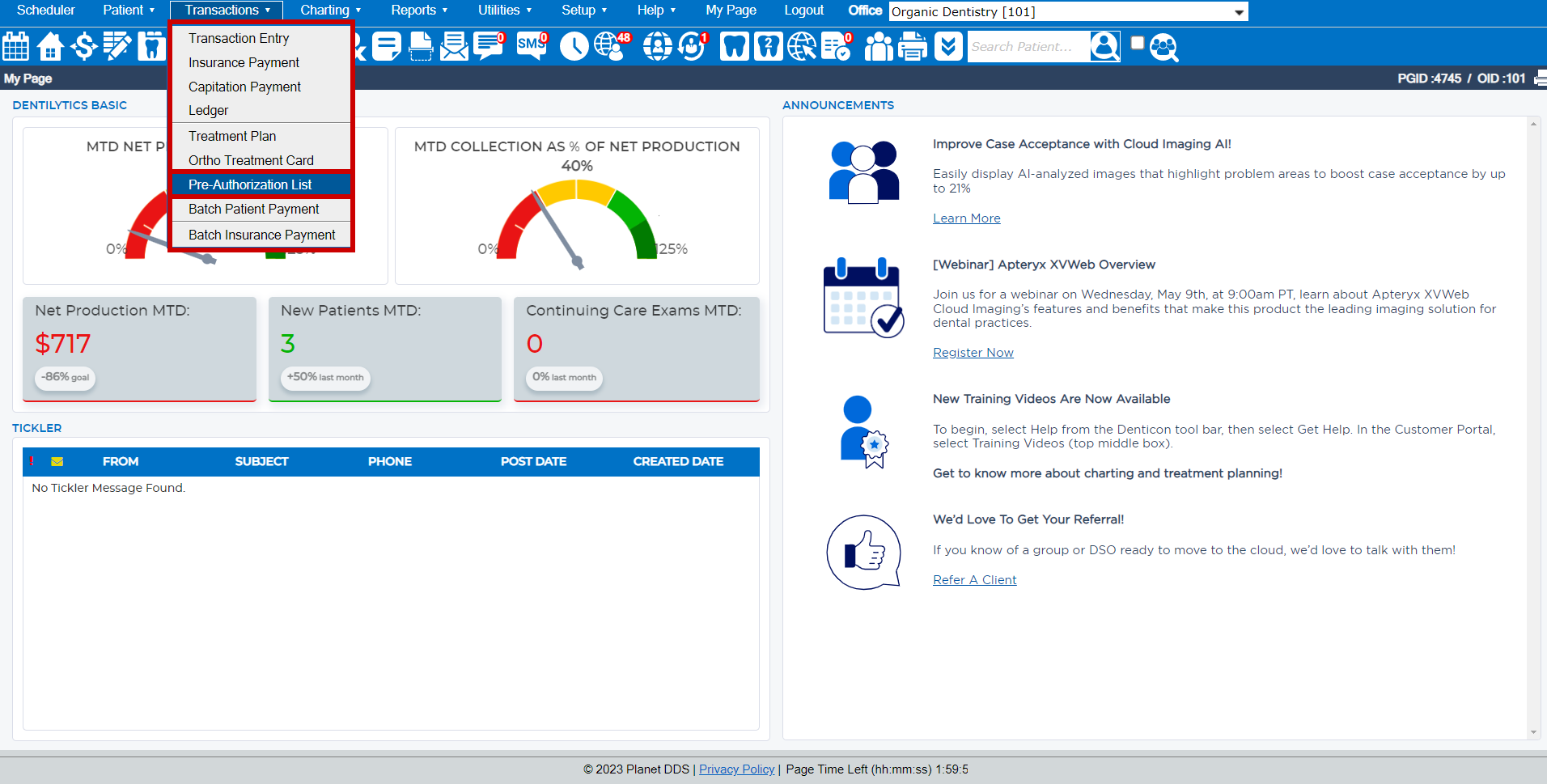
- Click the word “Transactions”
- Select “Pre-Authorization List” from the drop-down list
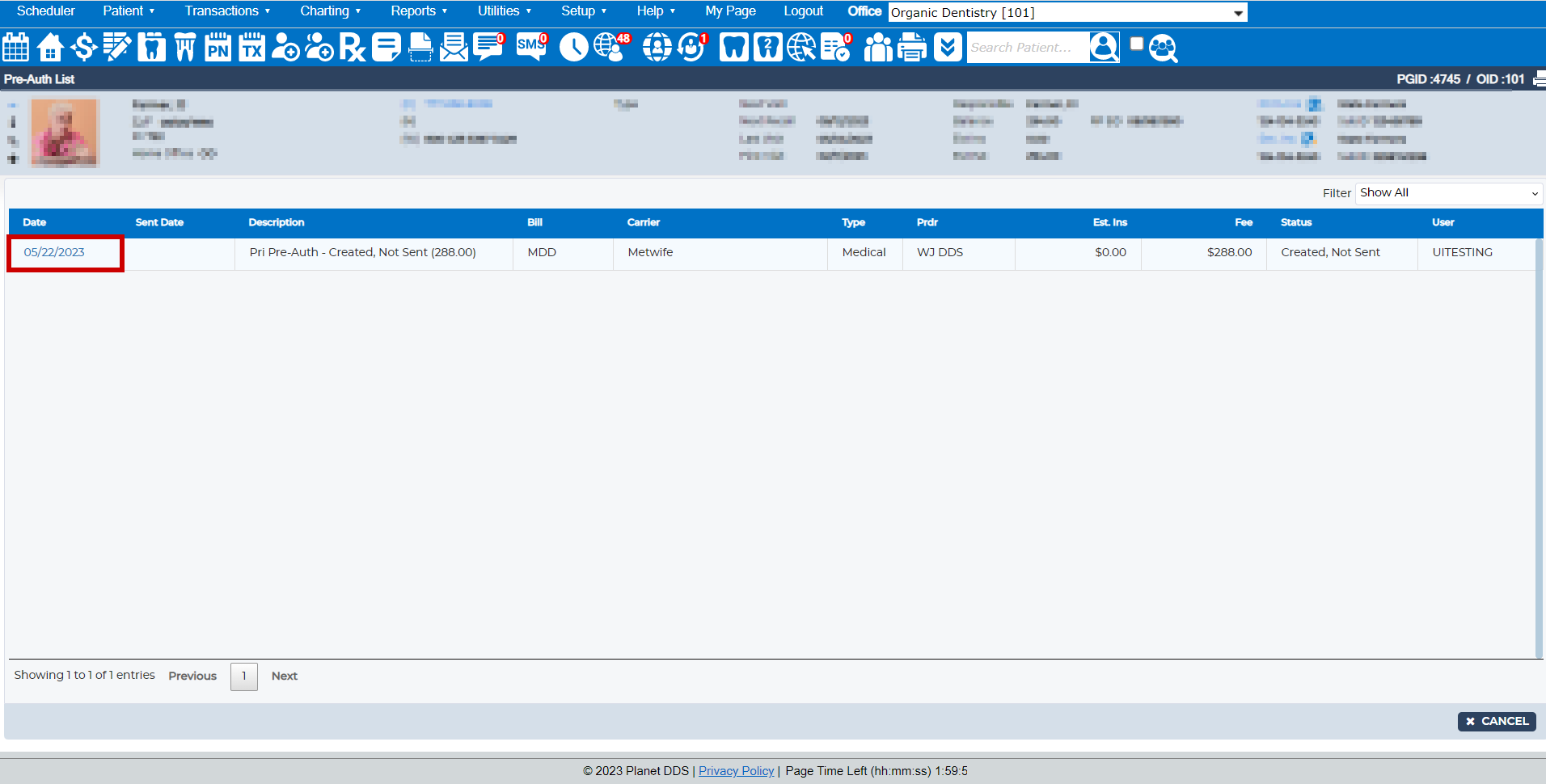
- Click the date of the desired pre-authorization claim
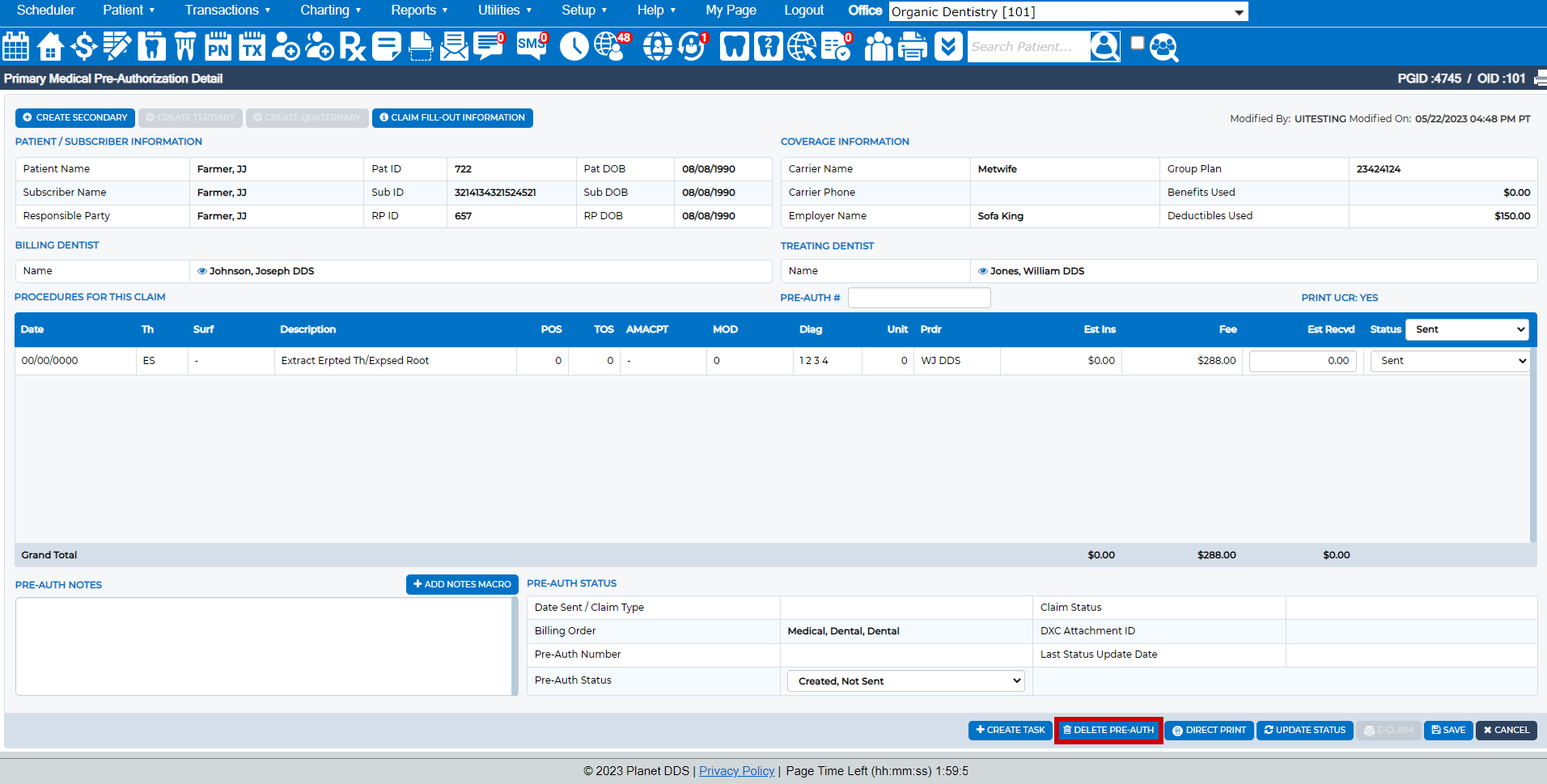
- Click the Delete Pre-Auth button
Was this article helpful?
That’s Great!
Thank you for your feedback
Sorry! We couldn't be helpful
Thank you for your feedback
Feedback sent
We appreciate your effort and will try to fix the article