Access the patient's information.
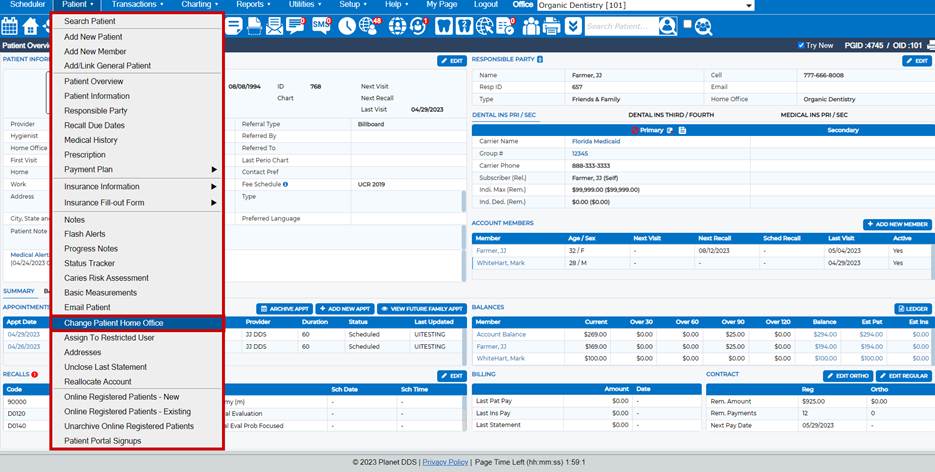
Click the word “Patient” and choose the “Change Patient Home Office” option from the drop-down
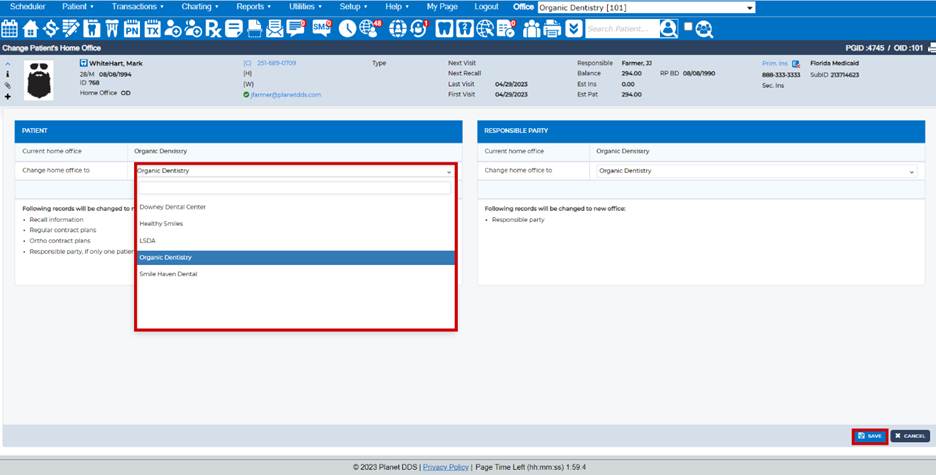
box. In the “Change home office to” field, select the appropriate office location. Click the Save
button to complete the patient move.
Was this article helpful?
That’s Great!
Thank you for your feedback
Sorry! We couldn't be helpful
Thank you for your feedback
Feedback sent
We appreciate your effort and will try to fix the article