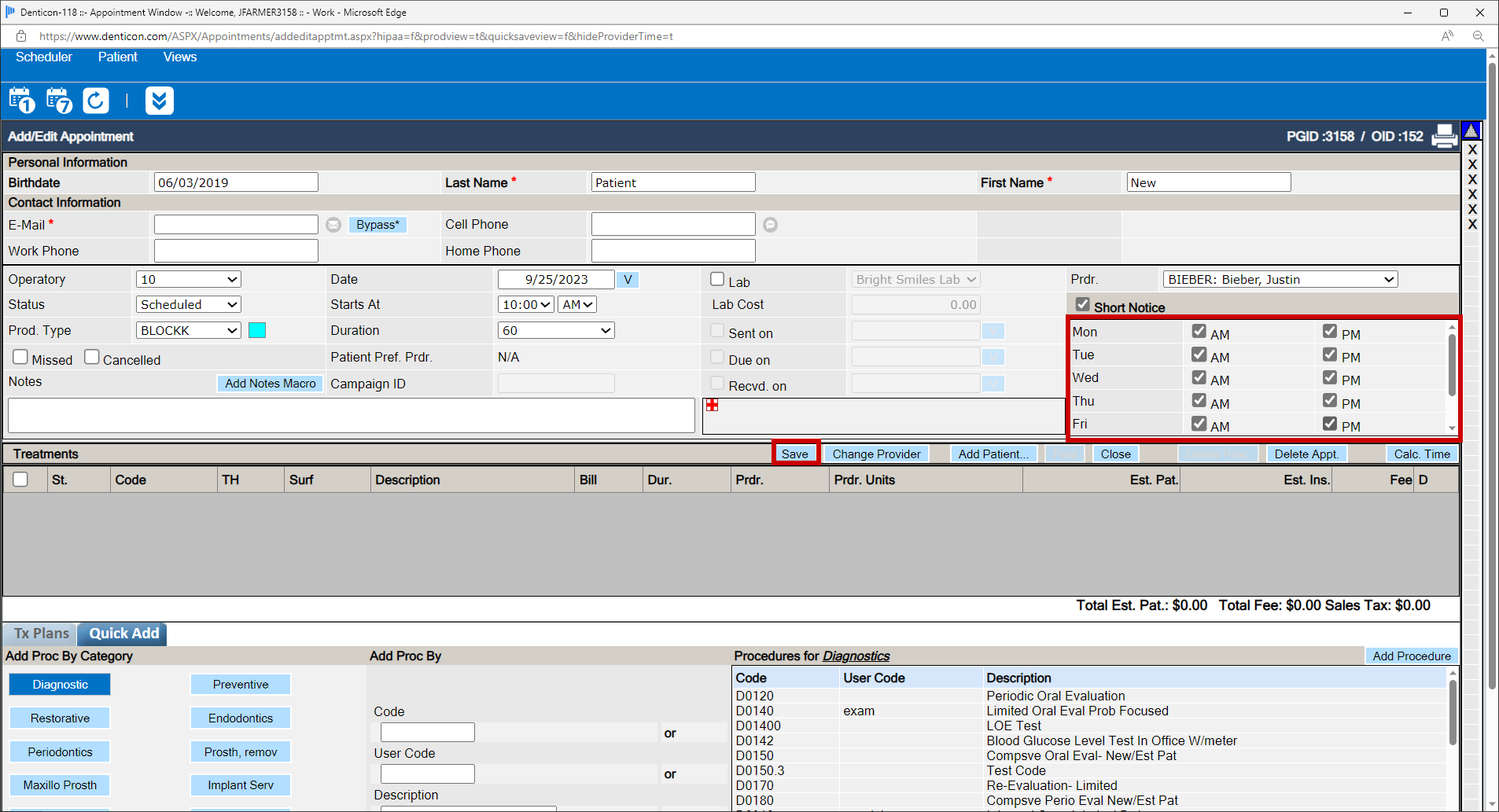
A patient’s existing appointment must be marked to indicate “Short Notice” availability:
- Place a checkmark in the “Short Notice” box to activate the day boxes
- Place a checkmark in the patient’s preferred day segment(s)
- Click the Save button
To locate the appointments which are marked as “Short Notice” availability:
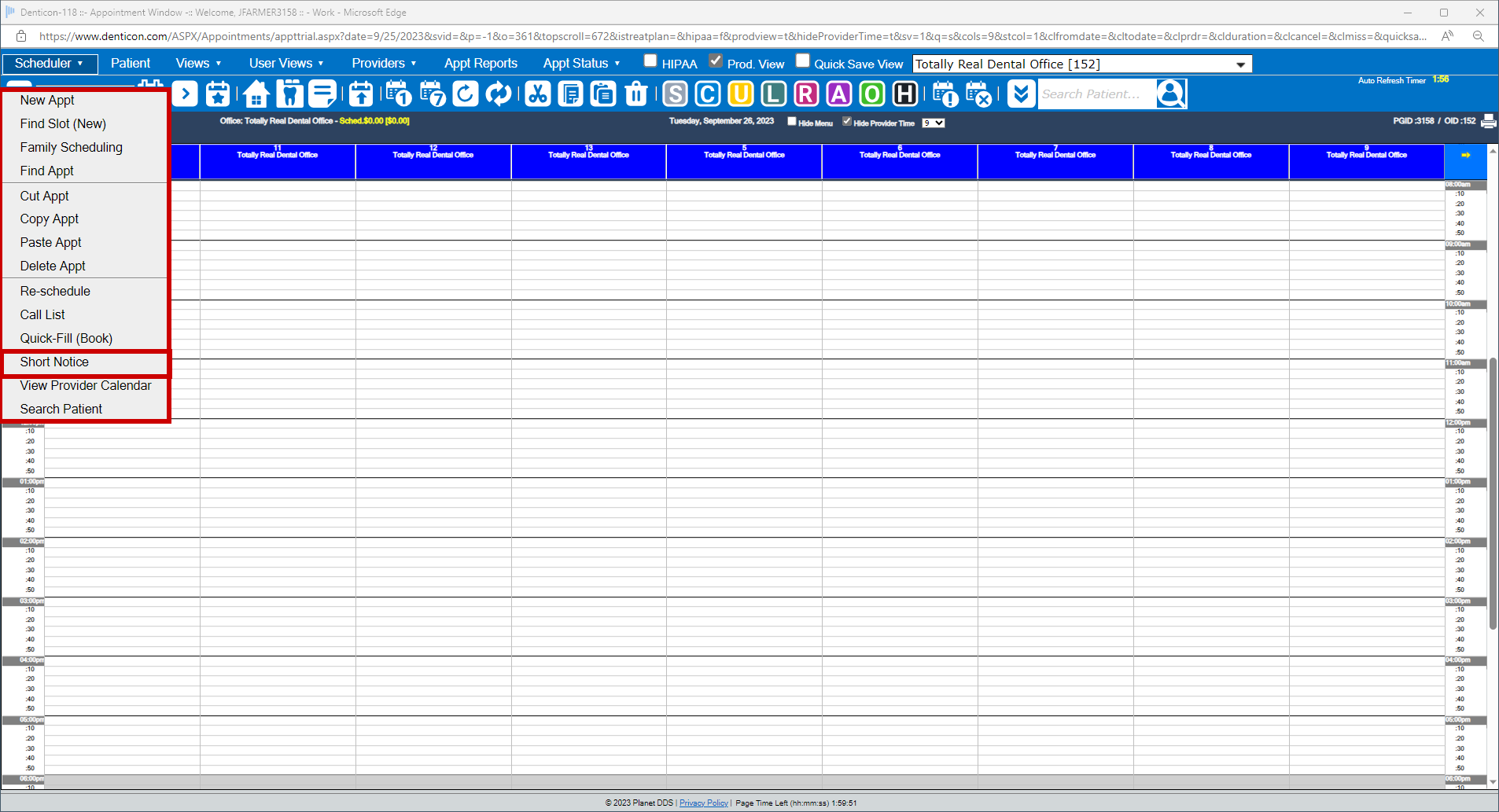
- Access the Scheduler Window
- Click the word “Scheduler”
- Select the “Short Notice” option
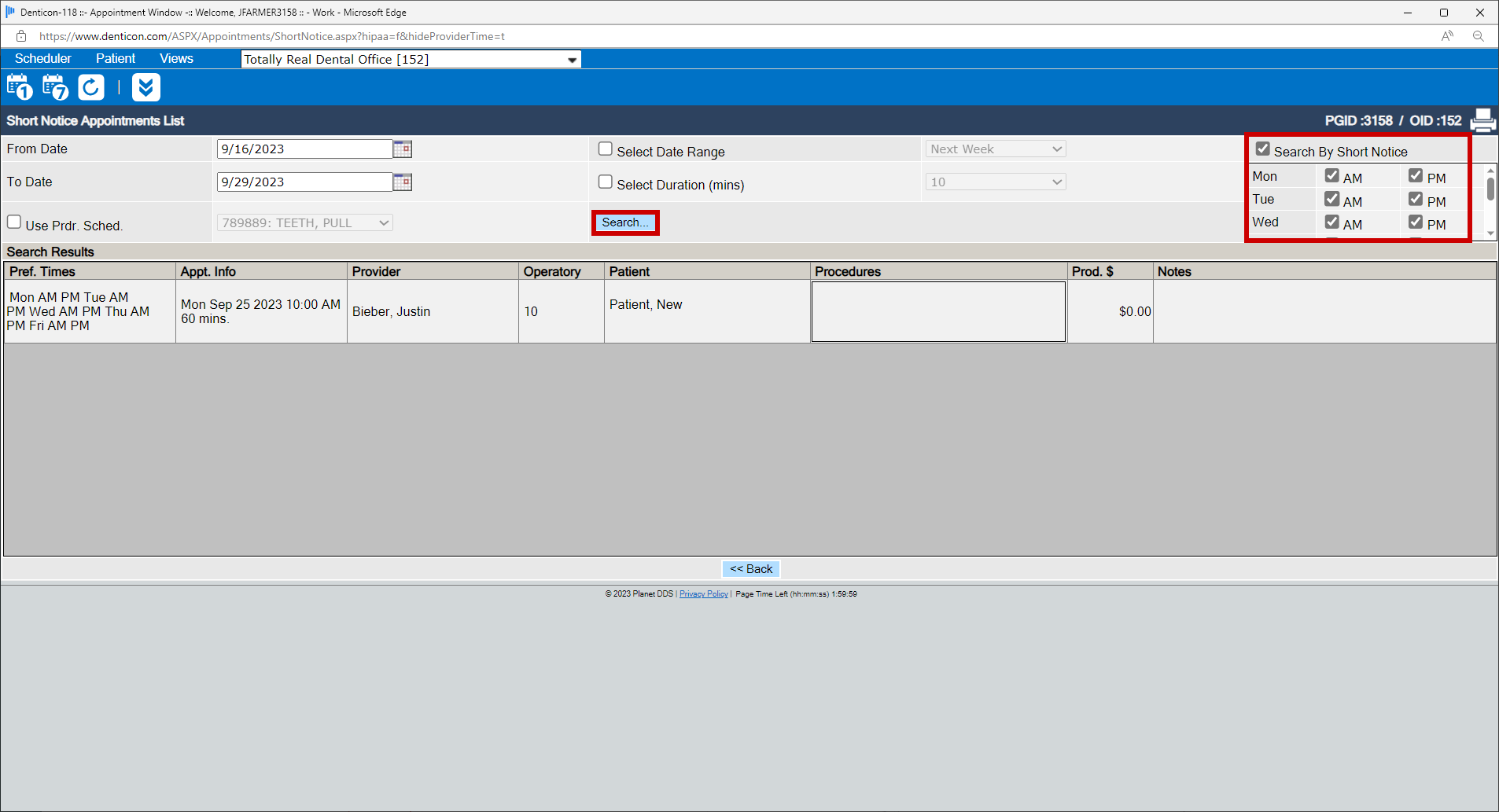
- Define the desired search parameters
- Checkmark the “Short Notice” box
- Checkmark the desired day segment(s)
- Click the Search button
- Click the desired appointment to reschedule.
Was this article helpful?
That’s Great!
Thank you for your feedback
Sorry! We couldn't be helpful
Thank you for your feedback
Feedback sent
We appreciate your effort and will try to fix the article